
Looking to install Beast TV on Firestick? You’ve come to the right place. This comprehensive guide walks you through the complete installation process, covers pricing, features, and provides important alternatives you should consider before making your decision.
Beast TV has gained popularity as an IPTV service offering thousands of live channels, but there are some important things you need to know before installing it on your Amazon Firestick.
What is Beast TV IPTV?
Beast TV IPTV provides access to 33,000+ live TV channels and 140,000+ VODs with top-notch streaming quality. The service offers channels from multiple countries including the USA, Canada, Uk, and Europe.
Key Features of Beast TV:
- Over 33,000 live channels starting at $9.99/month
- HD and 4K streaming capability with minimal buffering
- Electronic Program Guide (EPG) support
- Multiple device compatibility
- VPN-friendly service
- 24-hour free trial available
Beast TV Pricing 2025
Before installation, here’s the current Beast TV pricing structure:
- Monthly: $9.99/month
- 3 Months: $19.99
- 12 Months + 3 months free: $49.99
- Free Trial: 24 hours
- Connections: 1 connection included (additional connections available)
Prerequisites for Installation
Before we start the installation process, ensure you have:
- Amazon Firestick (any generation)
- Stable internet connection (minimum 25 Mbps for 4K content)
- Beast TV subscription (get the free trial first)
- About 15 minutes for complete setup
Step-by-Step Installation Guide
Step 1: Enable Developer Options
First, we need to allow installation from unknown sources:
- From your Firestick home screen, navigate to Settings
- Select My Fire TV (or Device on older models)
- Choose Developer Options
- Turn on Apps from Unknown Sources
- Click Turn On when prompted
Security Tip: This setting allows sideloading apps. Only download from trusted sources and consider disabling after installation.
Step 2: Install Downloader App
Since Beast TV isn’t on Amazon App Store, we’ll use Downloader:
- Return to Firestick home screen
- Click the search icon (magnifying glass)
- Type “Downloader“
- Select the official Downloader app by AFTVnews
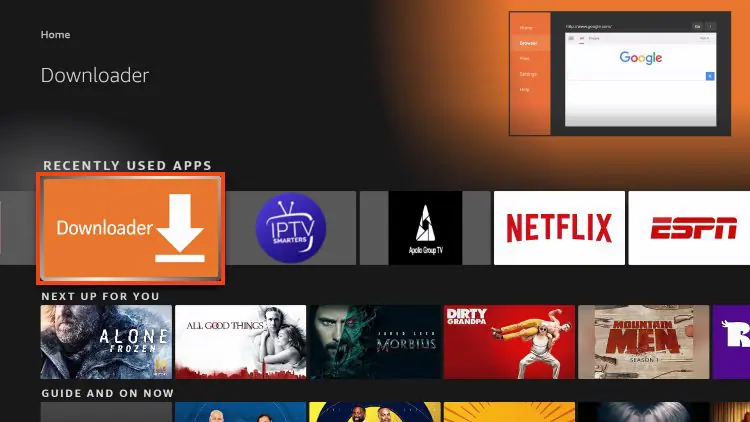
- Click Download then Install
Step 3: Download Beast TV APK
Now for the main installation:
- Open the Downloader app
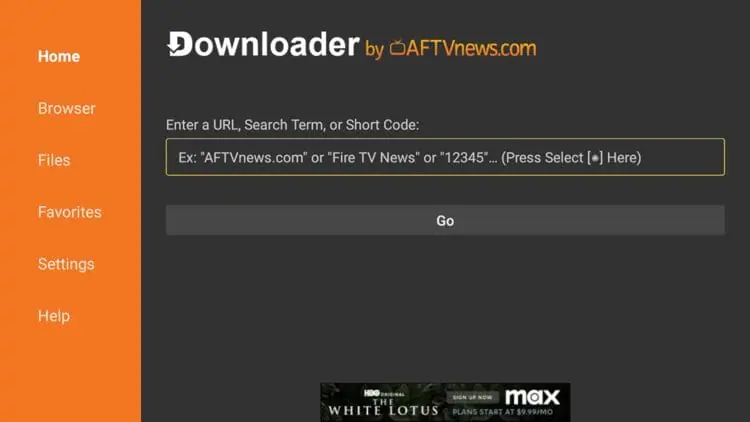
- In the URL field, enter this code:
- Primary: 78522
- Click Go
- The APK will download automatically
- Once complete, click Install
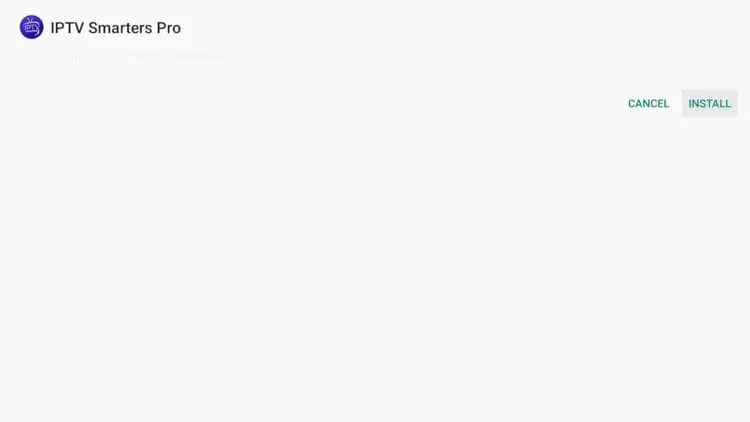
- After installation, click Done
Step 4: Launch and Setup Beast TV
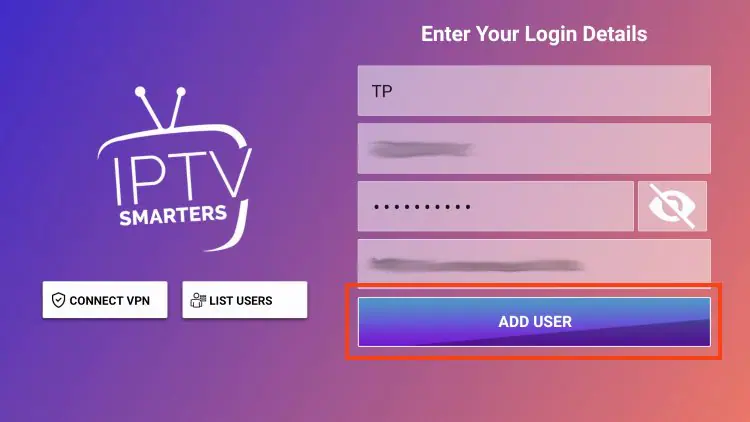
- Find Smarters iptv in Your Apps & Channels section
- Open the Smarters iptv app
- Accept terms and conditions
- Enter your Beast TV subscription credentials:
- Username: Your Beast TV username
- Password: Your Beast TV password
- Server URL: Provided by Beast TV (usually in welcome email)
Optimizing Beast TV Performance
Essential Settings for Best Streaming
Once installed, optimize these settings:
Video Quality Settings:
- Set default quality to Auto for adaptive streaming
- Enable Hardware Acceleration for smoother 4K playback
- Increase Buffer Size to 30+ seconds for stable viewing
Network Optimization:
- Use Ethernet connection when possible for most stable streaming
- Ensure 25+ Mbps internet speed for 4K content
- 10+ Mbps minimum for HD streaming
Pro Tips for Better Experience
- Clear app cache weekly to prevent slowdowns
- Restart Firestick monthly for optimal performance
- Use a VPN for added privacy and security
- Test during off-peak hours for best stream quality
Beast TV Alternatives to Consider
Before committing to Beast TV, consider these factors:
Potential Concerns with Beast TV:
- Limited customer support compared to established providers
- Server stability can vary
- APK installation required (no official app store presence)
- Mixed user reviews regarding reliability
Alternative IPTV Services Worth Exploring:
When evaluating IPTV options, look for services that offer:
- Official app store presence for easier installation
- Transparent licensing information
- Reliable customer support (24/7 availability)
- Multiple server locations for better performance
- Money-back guarantees beyond just free trials
- Regular service updates and maintenance
Maintenance and Updates
Keeping Beast TV Running Smoothly
Weekly Tasks:
- Clear Beast TV app cache
- Test stream quality during peak hours
- Check for app updates (manual process for sideloaded apps)
Monthly Tasks:
- Verify subscription status
- Clear Firestick system cache
- Review and organize favorite channels
- Test backup servers if available
When to Seek Alternatives:
- Frequent server downtime
- Poor customer support response
- Billing issues
- Consistently poor stream quality
Conclusion: Making the Right Choice
Installing Beast TV on Firestick is technically straightforward, but choosing the right IPTV service requires careful consideration. While Beast TV offers over 33,000 channels at $9.99/month, the sideloading requirement and mixed reliability reports suggest exploring all options.
Key Decision Factors:
- Service reliability and server uptime
- Customer support quality and availability
- Content licensing transparency
- Installation convenience (official apps vs sideloading)
- Trial period length for proper testing
Need help choosing the right IPTV service for your needs? Consider services that offer extended free trials and official app store availability for the most hassle-free experience.
Tags: install Beast TV on Firestick, Beast TV IPTV installation, Firestick IPTV apps, Beast TV setup guide, IPTV streaming 2025
© 2026 TV4ONE | Premium IPTV Streaming Services

Amine Sebbar is a 34-years-old digital entrepreneur passionate about innovation, design, and online business. He is the founder of TV4ONE, a premium TV streaming platform delivering high-quality digital entertainment experiences to users worldwide. With a strong focus on performance, reliability, and user experience, Amine has built and scaled multiple online projects across streaming services, web development, and digital branding.